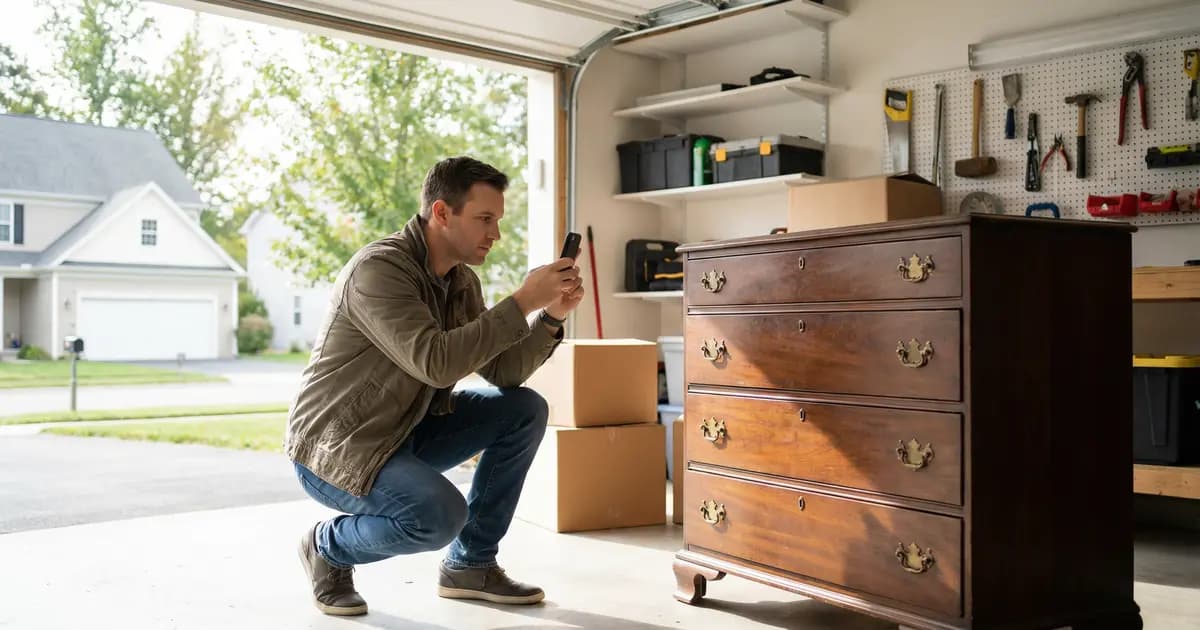
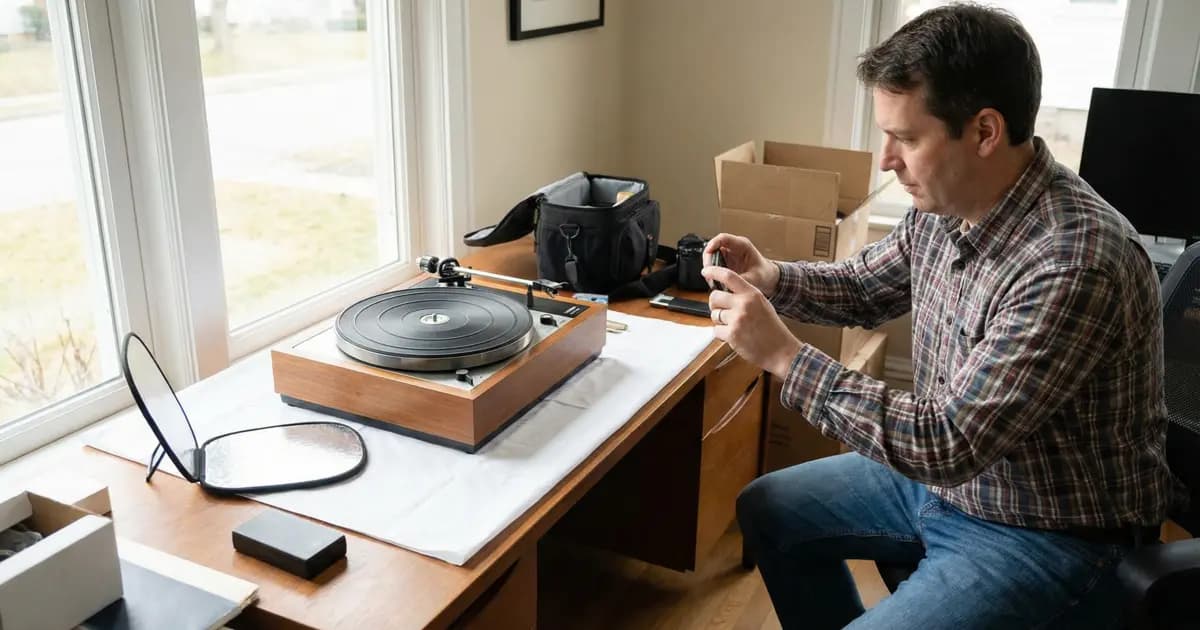
The difference between items that sell quickly and those that languish unsold comes down to controllable factors: optimized titles, quality photos, accurate pricing, and complete item specifics. Sellers who master these fundamentals consistently outperform those who rush through listings.
This guide covers everything you need to create eBay listings that rank well in search, attract buyers, and sell fast.
How eBay's Cassini Algorithm Works
Before diving into specifics, understanding eBay's search algorithm helps explain why certain practices work. Cassini, introduced in 2013, has one primary goal: connecting buyers with listings most likely to result in successful, satisfying transactions.
Cassini weighs several key factors:
- Relevance to search terms (title keywords and item specifics)
- Seller performance (feedback score, defect rate, shipping times)
- Listing completeness (photos, descriptions, filled item specifics)
- Buyer engagement (click-through rate, watch count, conversion rate)
- Competitive pricing with buyer-friendly terms
The algorithm rewards sellers who maintain low defect rates, ship quickly, respond promptly, and offer good return policies. It penalizes keyword stuffing, irrelevant categories, duplicate listings, and slow shipping.
Writing Titles That Rank and Convert
eBay titles have a strict 80-character maximum, and research across nearly a million listings shows that titles using 75+ characters generate more sales per day than shorter alternatives. Most sellers leave roughly 15 characters of opportunity untapped.
The First 52 Characters Matter Most
Cassini (and Google) pay closest attention to the first 5-6 words. Front-load your most important keywords: product type, key features, and terms buyers actually search.
Good title: "Women's Green Plus Size Knit Sweater Long Sleeve Pullover M Soft"
Bad title: "Women's sweater"
The first example answers what buyers type into search while using available characters strategically.
The Optimal Title Formula
Follow this structure: product type → brand (if known) → key features → size → color → condition keywords
Aim for 15-18 words. Include specific details that match how buyers search.
Title Mistakes to Avoid
- Keyword stuffing - Cassini penalizes repetitive keywords
- eBay acronyms - NWT, NIB, OEM generate fewer sales because buyers don't search them
- Putting "NEW" in titles - Use the condition field instead; this word shows negative correlation with sales
- Copying competitor titles - Creates duplicate content issues
- Spelling errors - Prevent search matches
If you're selling items from unknown brands, move the brand name to item specifics and use that title space for descriptive keywords buyers actually search.
Item Specifics: The Hidden Ranking Factor
When buyers filter search results by size, color, brand, or other attributes, listings with missing item specifics simply don't appear. Even if your item is a perfect match, it becomes invisible without completed fields.
Required vs. Recommended Fields
Fill out every required item specific, then complete as many recommended specifics as apply:
For clothing:
- Size, color, brand, material
- Style, sleeve length, neckline
- Pattern, occasion, fit type
For electronics:
- Brand, model, storage capacity
- Connectivity, screen size, condition
- Compatible devices, features
Each completed field creates another pathway for buyers to discover your listing through filtered searches. Item specifics also improve visibility on Google Shopping.
Category Selection Matters
Category names are keywords that help Cassini understand your listing. Always select the most specific subcategory available rather than broader parent categories.
Placing items in popular but irrelevant categories backfires. It may generate views but tanks conversion rates, which Cassini notices and penalizes.
Photos That Build Buyer Confidence
eBay allows 24 free photos per listing, and you should use at least 6 for most items. Research shows listings with multiple high-quality photos are 4.5% more likely to sell.
Your Main Photo Is Critical
The thumbnail in search results determines whether buyers click your listing. Requirements for your main image:
- Show the entire item from the front
- Center the item, filling 80-90% of the frame
- Use a clean white or neutral background
- No watermarks, text, borders, or logos
Follow with back and side views, then close-ups of brand labels, key features, and any flaws.
Technical Requirements
| Specification | Requirement |
|---|---|
| Minimum size | 500x500 pixels |
| Recommended size | 1600x1600 pixels (enables zoom) |
| Format | JPEG at quality 90+ |
| Max file size | 7MB |
Smartphone Photography Tips
You don't need professional equipment. These techniques produce excellent results:
- Position items near a large window for soft, natural light
- Shoot early morning or late afternoon
- Turn off your flash (creates harsh shadows)
- Clean your camera lens
- Set aspect ratio to square (1:1)
- Tap to focus on your product
- Use a stable surface or tripod
A $2 white poster board bent to create a seamless curve makes professional-looking backgrounds.
Photographing Flaws Is Non-Negotiable
For used items, take clear close-ups of every scratch, scuff, stain, or wear mark. Hiding defects leads to:
- "Item Not as Described" returns
- Negative feedback
- Lost disputes
- Account health problems
Research shows that clearly describing flaws actually increases buyer trust. A vintage item listing that honestly detailed "three windows off their tracks" attracted 39 bids and sold for over $5,000 because the honesty built credibility.
Pro Tip: Taking photos of multiple items? SellyGenie can analyze your product photos and generate professional descriptions that highlight features and honestly describe condition, saving you hours of writing time.
Writing Descriptions That Convert
Mobile optimization has fundamentally changed how descriptions should work. Over half of eBay transactions involve mobile viewing, where:
- Only the first 250 characters display without clicking "Read more"
- Descriptions under 800 characters show in full
Front-load your most important information and aim for concise, scannable content.
What to Include
Write from the buyer's perspective. What would you want to know?
- Brand and specific measurements
- Color and material
- Key features and functionality
- Condition details
- Exactly what's included in the sale
For used items, specify the location and size of any flaws: "light wear on left heel, small 1cm scratch on sole." Reference your photos.
Structure for Scannability
- Most critical information at the top
- Features in the middle (use bullet points)
- Condition notes prominently placed
- Paragraphs of three sentences or less
- Black text on white background
- Font size at least 14-16 pixels
What to Avoid
eBay prohibits including:
- Email addresses or phone numbers
- External website links
- Payment/shipping policy details (use eBay's fields)
Plain text is recommended for beginners. Complex HTML often displays poorly on mobile devices.
Condition Selection
eBay's condition categories vary by product type:
Clothing:
- New with Tags
- New without Tags
- Pre-owned Excellent/Good/Fair
Electronics:
- New, Open Box
- Certified Refurbished
- Seller Refurbished
- Used, For Parts
Select the most accurate condition. When uncertain, choose the lower rating. Use eBay's Condition Description field (separate from the main description) to detail specific wear.
Pricing Based on Sold Data
Guessing at prices is the fastest way to either undersell valuable items or watch them sit unsold. eBay's completed listings filter is your most powerful research tool.
How to Research Prices
- Search for your item on eBay
- On the left sidebar, check "Sold Items" under "Show Only"
- Green prices = items that sold
- Red prices = items that didn't sell
- Analyze 10-15 comparable sales
- Ignore outliers (highest and lowest)
- Average the remaining results
Then subtract:
- eBay fees (~13-15% plus $0.30-0.40 per order)
- Shipping costs (if offering free shipping)
Auction vs. Buy It Now
Auctions now account for only 12-15% of eBay sales. Most buyers prefer instant purchasing.
Use auctions for:
- Rare, unique, or collectible items
- Items with uncertain market values
- High-demand items with strong competition
Use Buy It Now for:
- Standard used items with known values
- Everyday household goods
- Electronics and clothing
For auctions, set your starting price at the absolute minimum you're willing to accept. You're legally obligated to sell at that price if there's only one bidder.
Best Offer Strategy
Enable Best Offer on items priced above market average or that have sat unsold.
- Set auto-accept at 90-95% of listing price
- Set auto-decline at 70-80%
- Leave room for reasonable negotiation in between
Note: Enabling Best Offer disables "Immediate Payment Required."
Psychological Pricing
$19.99 feels significantly cheaper than $20.00 because the brain processes left-to-right and focuses on the first digit. Use prices ending in .99 or .97 to signal value.
Shipping Decisions That Affect Rankings
Free shipping has become the dominant expectation, with approximately 75% of listings now offering it. Buyers strongly prefer it psychologically, and eBay's algorithm historically favors free shipping listings.
How to Offer Free Shipping Profitably
- Calculate your average shipping cost to middle-distance zones
- Add that amount to your item price
- Build in a small buffer for distant buyers
When Calculated Shipping Makes Sense
For beginners uncertain about costs, calculated shipping is the safest starting point. eBay calculates exact costs based on buyer location and package dimensions, automatically adjusting when carrier rates change.
This protects your margins but may reduce sales to distant buyers who see higher shipping costs.
Carrier Recommendations
| Carrier | Best For |
|---|---|
| USPS Ground Advantage | Items under 4-5 lbs, 2-5 day delivery |
| USPS Priority Mail | Fast 1-3 day delivery, includes insurance |
| Media Mail | Books, DVDs, CDs (very cheap) |
| eBay Standard Envelope | Trading cards under 3 oz ($0.64-1.12) |
| UPS/FedEx | Heavier packages over 4-5 lbs |
Always Buy Labels Through eBay
Purchasing labels through eBay saves:
- Up to 25% off USPS retail rates
- Up to 37% off FedEx rates
Tracking uploads automatically. Never buy labels at the post office.
Handling Time
Set handling time to 1-2 business days for most sales. Longer handling times hurt conversion rates and search placement.
A digital scale is non-negotiable for serious sellers. Guessing weights leads to overpaying postage or buyer disputes.
When to List: Timing Tips
For fixed-price listings that run indefinitely, timing matters very little. List consistently rather than in batches. Fresh listings receive a brief visibility boost for approximately 24 hours.
Auction Timing Is Critical
Best ending time: Sunday evening between 6-9 PM Pacific Time (9 PM-12 AM Eastern)
This is when traffic peaks and leisure browsing is highest. Friday is typically the worst day.
- For 7-day auctions: Start Sunday morning to end Sunday evening
- For 10-day auctions: Start Thursday evening to cover two Sundays
Seasonal Considerations
| Category | Peak Season |
|---|---|
| Electronics | November-January |
| Home & Garden | March-May |
| Sporting Goods | 1-2 months before season |
| General Retail | September-December |
June-August is typically the slowest period for general retail.
Common Beginner Mistakes to Avoid
Listing Mistakes
- Poor-quality or insufficient photos (reduces sale prices ~10%)
- Vague descriptions and hidden flaws
- Skipping item specifics (excludes from filtered searches)
- Keyword stuffing in titles
- Using AI descriptions without review
Shipping Mistakes
- Guessing package dimensions and weights
- Buying labels at the post office (40% more expensive)
- Setting unrealistic handling times
- Flimsy packaging that leads to damage
Account Health
Monitor these metrics closely:
- Transaction defect rate: Must stay below 2%
- Late shipment rate: Below 4%
- Cases closed without resolution: Below 0.3%
These metrics directly affect how Cassini ranks your listings.
2025-2026 eBay Updates
AI-Powered Listing Tools
eBay's Magical Listing Tool (iOS and Android) lets you upload a photo and receive auto-generated titles, descriptions, categories, and item specifics. Over 95% of sellers who tried it kept the AI-generated descriptions.
The mobile app also offers free AI background removal to clean up product photos.
For sellers listing many items, tools like SellyGenie can generate optimized descriptions from your product photos, saving significant time while maintaining quality.
Fee Changes
Early 2025 brought Final Value Fee increases of approximately 0.35% in most categories:
- Typical total: ~13.25% Final Value Fee
- Plus $0.40 per-order fee (orders over $10)
- 250 free listings monthly
Shipping Rate Increases
All major carriers raised rates in January 2025. eBay Labels continues to offer significant discounts. Cubic pricing (size-based rather than weight-based) is now available for USPS Ground Advantage and Priority Mail.
Frequently Asked Questions
How many photos should I include in my eBay listing?
Use at least 6 photos for most items, though eBay allows up to 24 for free. Include a main photo showing the complete item on a white background, plus back and side views, brand labels, key features, and close-ups of any flaws or wear. Listings with multiple quality photos are 4.5% more likely to sell.
Should I use auction or Buy It Now on eBay?
Buy It Now is better for most items. Auctions now account for only 12-15% of eBay sales since most buyers prefer instant purchasing. Use auctions only for rare, unique, or collectible items with uncertain market values or high demand. For standard used items, electronics, and clothing, Buy It Now with Best Offer enabled typically works best.
How do I price items on eBay?
Never guess. Search for your item on eBay and filter by "Sold Items" to see actual sale prices (green prices = sold, red = unsold). Analyze 10-15 comparable sales, ignore outliers, and average the results. Then subtract eBay fees (roughly 13-15% plus $0.40 per order) and shipping costs if you're offering free shipping.
Should I offer free shipping on eBay?
Free shipping is strongly preferred by buyers and favored by eBay's algorithm. About 75% of listings now offer it. To do this profitably, calculate your average shipping cost to middle-distance zones and add it to your item price. If you're unsure about costs, start with calculated shipping to protect your margins while you learn typical costs.
What time should I end my eBay auction?
End auctions on Sunday evening between 6-9 PM Pacific Time (9 PM-12 AM Eastern) when traffic peaks. Friday is typically the worst ending day. For 7-day auctions, list on Sunday morning. For 10-day auctions, list Thursday evening to cover two Sundays. For Buy It Now listings, timing matters much less.
Ready to Create Listings That Sell?
Creating eBay listings that sell quickly requires attention to detail but not extraordinary effort. The formula is straightforward:
- Use all 80 title characters with front-loaded keywords
- Complete every item specific
- Take at least 6 quality photos including any flaws
- Price based on actual sold data
- Ship quickly with tracking
If you're listing multiple items, writing optimized descriptions can be time-consuming. SellyGenie generates professional, keyword-rich descriptions from your product photos in seconds, letting you focus on photography and shipping.